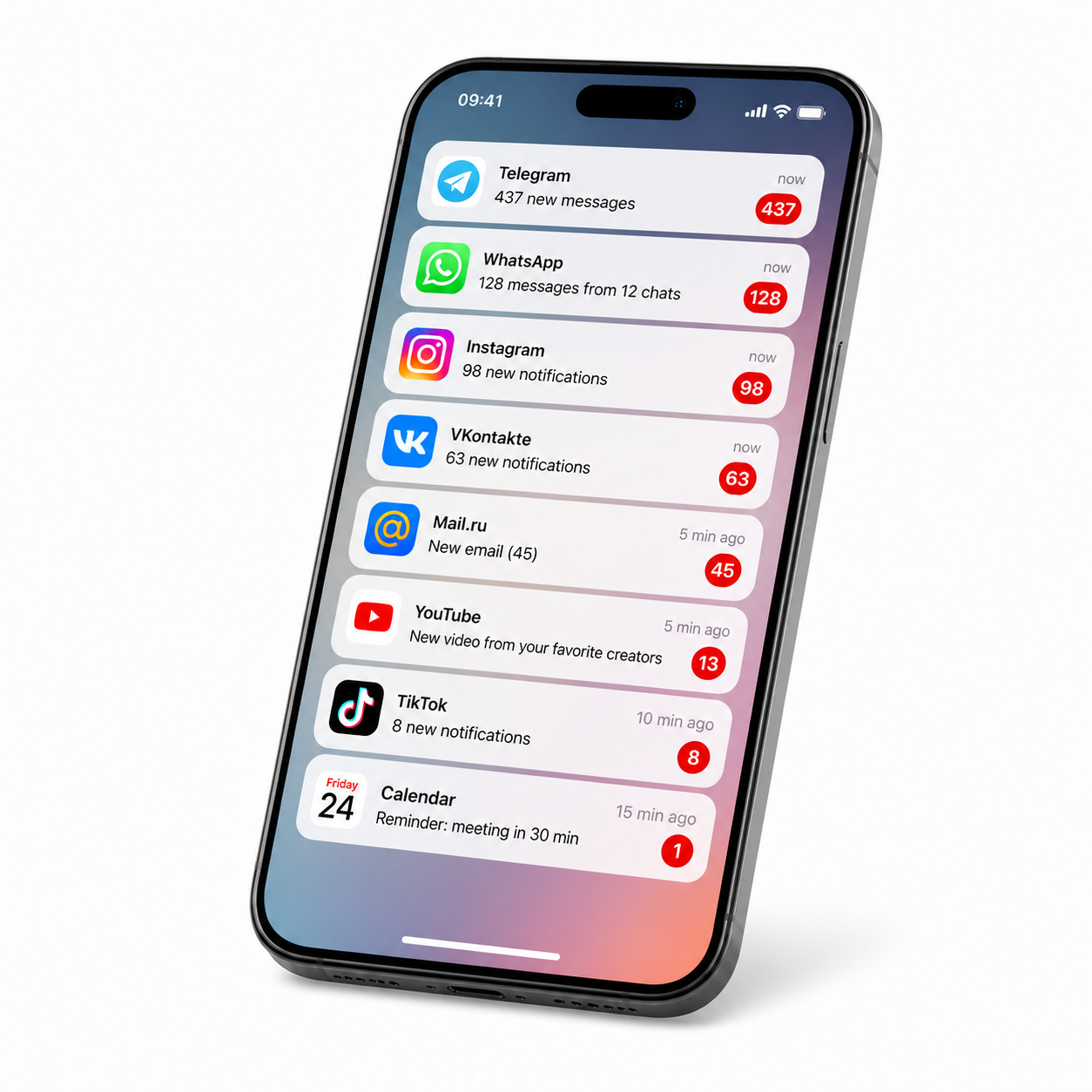
I'll be honest: I spent a week collecting screenshots of notifications on my phone. There were 847 of them. In seven days. That's 121 notifications per day. Every single one of them pulled me out of work, disrupted my thinking, and annoyed me.
Then I turned them all off. And my life changed. Here's how you can do the same.
Why Notifications Are a Problem
Remember how in old movies nobody carried a phone with them? People just lived. Worked, socialized, read. Without the constant "ding-ding."
Today, notifications aren't designed for your convenience. They're designed for attention. Every app fights for milliseconds of your time. And it wins.
Research shows that after any notification, we need 23 minutes to return to a state of deep work. And if you get 20 notifications an hour — you're never really working. You're just sitting there, twitching.
I noticed this in myself: I sit down to write code, a notification comes in, I get distracted for a minute. I come back — and spend five minutes remembering where I left off. 50 times a day. That's hours of lost time.
Step 1. Audit Your Notifications
The first thing I did was open my settings and write down all the apps that have notification access. It was shocking.
-
67 apps
installed on the phone
-
42 apps
had notification permission
-
31 apps
sent notifications daily
And why do I need notifications from an app I opened once a year ago?
Your task: open your settings and look at the list. You'll be surprised.
Step 2. Total Cleanup
I removed notification permissions for 80% of apps. I kept only:
-
Messengers
Telegram, WhatsApp — but with settings
-
Critical work notifications
Only the most important things
-
Calendar
Meetings and reminders
Everything else — turned off.
And you know what? Nothing happened. The world didn't end. I didn't miss anything important. But working became much easier.
Step 3. Configure Messengers Properly
You need to be smart about this. I don't turn off Telegram completely — I configure it.
Telegram
- Notifications only from favorite contacts
- Groups — only @mentions
- Channels — completely disabled
- Sound — quiet, short
- Notifications only from contacts
- Groups — turned off completely
- Sound — quiet
Viber and others
Same principle — only important contacts, turn off groups and channels.
Result: I only get notifications when a real person messages me. No ads, no groups, no channels. Only people.
Step 4. Working with Google and Apple
Now the most powerful part. Both Apple and Google give you tools for real digital hygiene.
On iOS (iPhone)
- Settings → Notifications → Scheduled Summary
- Enable it and select apps
- Set times — e.g., 12:00 and 18:00
- All non-important notifications arrive in batches
On Android
- Settings → Digital Wellbeing
- Do Not Disturb mode with schedule
- Set app time limits
I use both approaches. In the morning and evening, I check everything at once. Instead of twitching 100 times a day.
Step 5. Computer — Not Much Better
Phone sorted. What about the computer?
I was getting notifications from:
-
Slack
Work notifications
-
Gmail
Email
-
Telegram Desktop
Messenger
Solution: Do Not Disturb mode on macOS and Windows.
On macOS
- Settings → Notifications
- Enable Do Not Disturb
- Hotkey: Option + Click on clock
On Windows
- Notification Center
- Do Not Disturb mode
- Auto-schedule from 9:00 to 18:00
Now during work hours I DON'T see any notifications at all. I only check them when I want to.
Step 6. Clean Up Your Browser
Browser notifications are pure chaos. I used to allow all sites to send notifications "because it was convenient."
Now:
In Chrome
Settings → Privacy → Site Settings → Notifications → Block all
Exceptions: only email and calendar.
In Firefox, Edge, Safari
Same approach — find notification settings and turn them off.
You'll be surprised how many sites try to send notifications. I blocked 47 sites. Don't miss a single one.
Step 7. Emergency Contacts
There was a moment: I turned everything off and worried that my mom wouldn't be able to reach me in an emergency.
Solution on iOS
Settings → Do Not Disturb → Allow calls from favorites.
Solution on Android
Similarly in Do Not Disturb settings.
Now if something urgent happens — I'm always reachable. Everything else can wait.
What Changed in a Month
-
Work time without distractions
From 45 minutes → to 3–4 hours
-
Phone checks
From 87 times a day → to 12–15
-
Stress
Noticeably lower
-
Sleep
I don't check my phone before bed
And most importantly — I read more, think more, and twitch less.
How to Start Right Now
- Open your phone settings and look at the list of apps
- Turn off notifications for 80% of them
- Set up Do Not Disturb during work hours
- Do the same on your computer
- In a week, see how your life has changed
Try it: nothing bad will happen. Instead, you'll feel like a human being, not a notification slave.
- Notifications steal your attention — up to 23 minutes to recover after each one.
- Turn off 80% of notifications — keep only messengers and critical ones.
- Use Do Not Disturb with a schedule on phone and computer.
- Configure messengers — only notifications from people, not groups.
- Result: +3 hours of productive work per day and less stress.
Frequently Asked Questions
How to turn off all notifications on iPhone?
Enable Do Not Disturb in Control Center or set up Scheduled Summary in Settings → Notifications.
How to turn off notifications on Android?
Use Do Not Disturb in sound settings or Digital Wellbeing to manage app usage time.
How long does it take to get back to work after a notification?
According to research — about 23 minutes. That's why every notification is a massive waste of time.
Should I turn off notifications completely?
Not completely. Keep notifications from important contacts (family, work) and critical services. Everything else can be turned off.
How to configure notifications in Telegram?
Keep notifications only from favorite contacts, turn off groups and channels, set a quiet sound.
In Conclusion
We live in a world where every app fights for our attention. But we can choose — to be slaves to notifications or to take control of our lives.
I chose the latter. And I recommend you do the same. Start small — turn off notifications for three apps today. Tomorrow, three more. In a week, you'll feel the difference.
By the way, if you need a break from notifications — try our free online tools. They work without registration and without unnecessary notifications.