I remember in 2015 when my site took 12 seconds to load. I thought it was normal. Until I noticed visitors leaving before the page loaded. That's when I decided to figure out why.
It turned out that every extra second of loading cost me 7% of conversion. Seven percent! Over a year, that's thousands of lost customers.
In this article, I'll explain why website loading speed is critical, how to check it, and what to do if your site is slow.
Why Website Loading Speed Matters
-
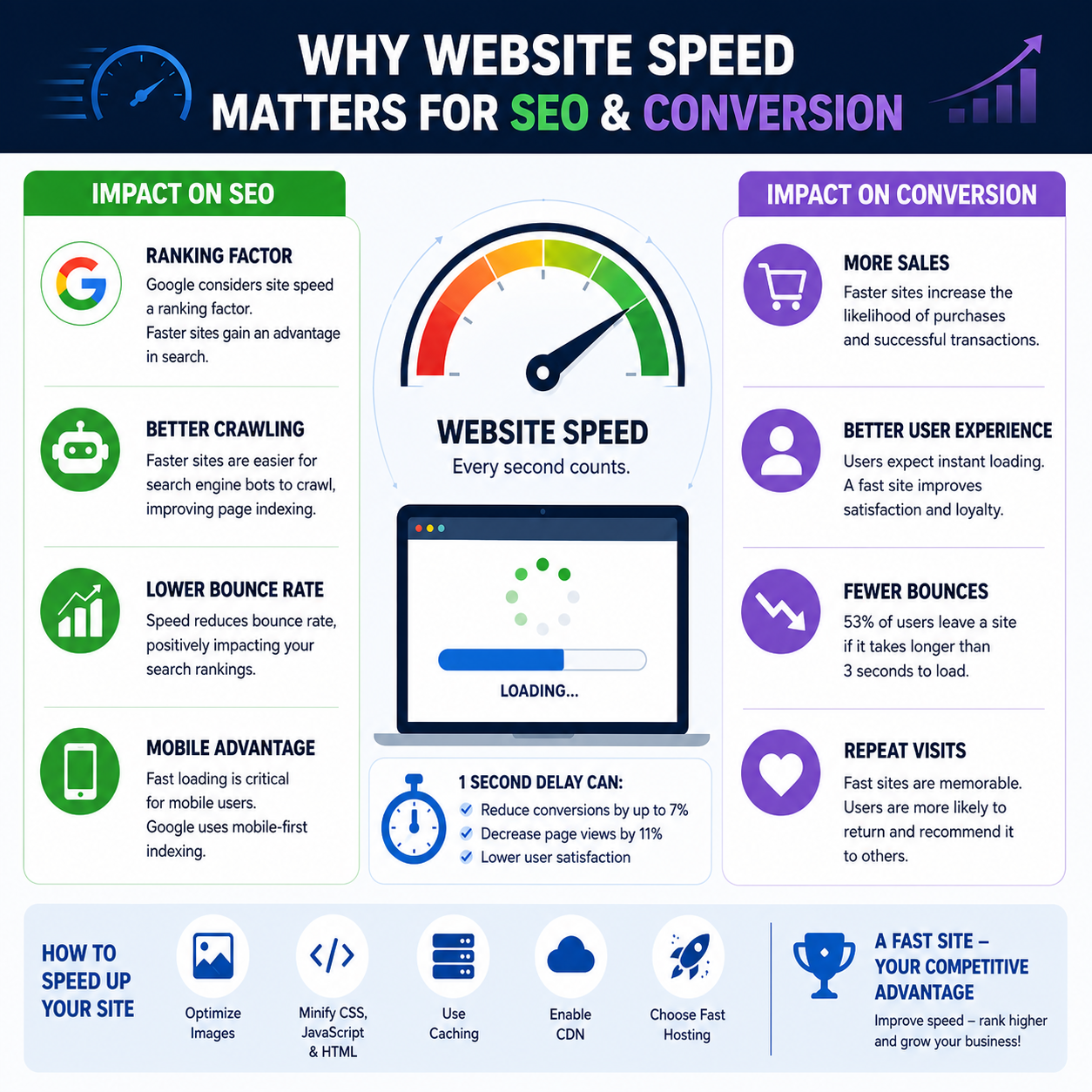
53% of visitors leave if a site takes longer than 3 seconds to load
That's more than half your audience! Every second of delay means lost customers.
-
Every second of delay reduces conversion by 7%
For an online store, that's a direct loss of revenue.
-
Google ranks fast sites higher
Loading speed is an official ranking factor in Google.
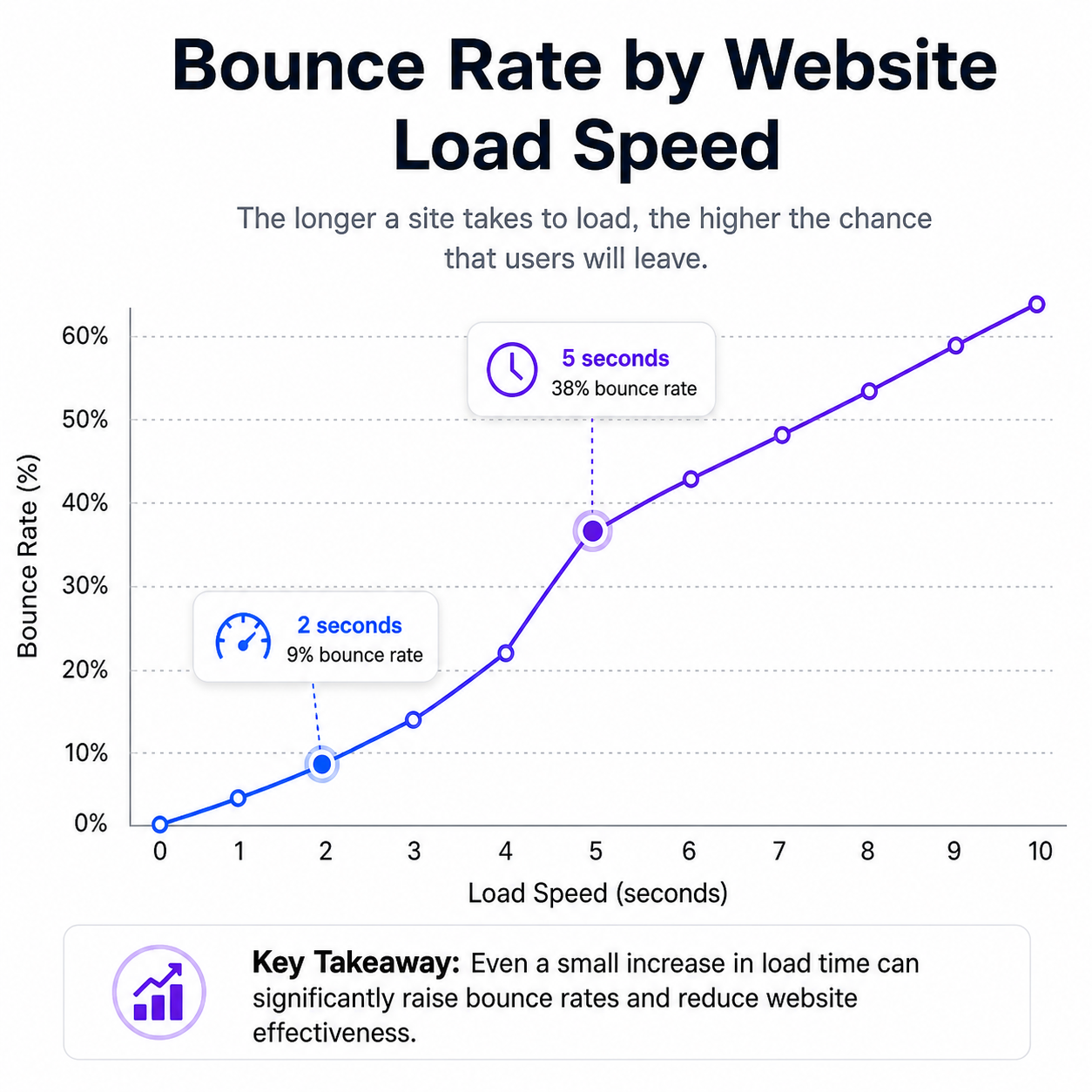
Numbers: Sites that load in 2 seconds have an average bounce rate of 9%. At 5 seconds, it's already 38%. The difference is huge.
How to Measure Website Loading Speed
There are several great tools that I use myself:
-
Google PageSpeed Insights
The most important tool. Scores for mobile and desktop, specific recommendations.
-
GTmetrix
Detailed report with a waterfall breakdown. Shows which elements take the longest to load.
-
Lighthouse (in browser)
Built into Chrome. DevTools (F12) → Lighthouse tab → run audit.

Core Web Vitals — Key Metrics
Google highlights three key metrics that are critical for SEO:
| Metric | What It Measures | Good | Poor |
|---|---|---|---|
| LCP Largest Contentful Paint |
Time to load the largest element on the page | ≤ 2.5 s | > 4.0 s |
| FID First Input Delay |
Delay before responding to first interaction | ≤ 100 ms | > 300 ms |
| CLS Cumulative Layout Shift |
Layout stability — how much elements shift | ≤ 0.1 | > 0.25 |
My goal is the "green" zone in all three metrics. That's when Google considers the site fast.
Why Your Site Might Be Slow — Main Reasons
-
Heavy images
Unoptimized images are the #1 cause of slow loading. A single 5 MB image can take several seconds to load.
-
No caching
Every visitor loads the site from scratch instead of using saved copies.
-
Slow hosting
Cheap hosting often means a slow server. One of the most common causes of lag.
-
No CDN
If your server is in Europe and visitors are from Asia, loading will be slow. CDN solves this.
How to Speed Up Your Site — Step-by-Step Plan
Image Optimization
- Use WebP instead of JPEG/PNG
- Compress images (TinyPNG)
- Load only needed sizes
- Use
loading="lazy"
Enable Caching
- Browser caching
- Server-side caching
- Plugin caching (for CMS)
Minify Resources
- Compress CSS and JS
- Combine files
- Use UglifyJS, CSSNano
Use a CDN
- Cloudflare — free option
- Reduces server load
- Speeds up delivery
Real Example: How I Accelerated a Site from 12 to 2 Seconds
Here's what I did with one of my projects:
| Action | Result |
|---|---|
| Image compression (JPEG → WebP) | -60% page weight |
| Enabling caching | -40% load time |
| CSS and JS minification | -25% load time |
| CDN connection (Cloudflare) | -30% load time |
| Total result | 12 seconds → 2.1 seconds |
Result: After acceleration, traffic grew by 28%, conversions by 18%, and bounce rate dropped by 35%.
- Optimal loading speed — under 2 seconds. Over 3 seconds is already a problem.
- 53% of visitors leave if the site takes longer than 3 seconds to load.
- Speed affects SEO — Google ranks fast sites higher.
- Use PageSpeed Insights, GTmetrix, and Lighthouse for testing.
- Optimize images, enable caching, use a CDN.
Frequently Asked Questions
What is the optimal website loading speed?
Under 2 seconds — ideal. Under 3 seconds — acceptable. Over 3 seconds — needs improvement.
How to check website loading speed?
Use Google PageSpeed Insights, GTmetrix, Pingdom, or Lighthouse.
Does website speed affect SEO?
Yes, Google directly considers speed when ranking. Fast sites rank higher.
How to speed up website loading?
Optimize images, enable caching, use CDN, minify CSS and JS, choose good hosting.
What are Core Web Vitals?
Three key Google metrics: LCP (loading time), FID (response delay), and CLS (layout stability).
In Conclusion
Website speed is not just a technical characteristic. It's your main competitive advantage. A fast site = more visitors = more conversions = more revenue.
Check your site right now. If it's loading slowly — don't delay optimization. Every day of delay costs you visitors and profits.