Image Compressor
Compress images without losing quality — right in your browser
Drop your images here
or
Supports: JPG, PNG, WebP, BMP, GIF
Compression settings
Upload images to start compressing
What is an Image Compressor?
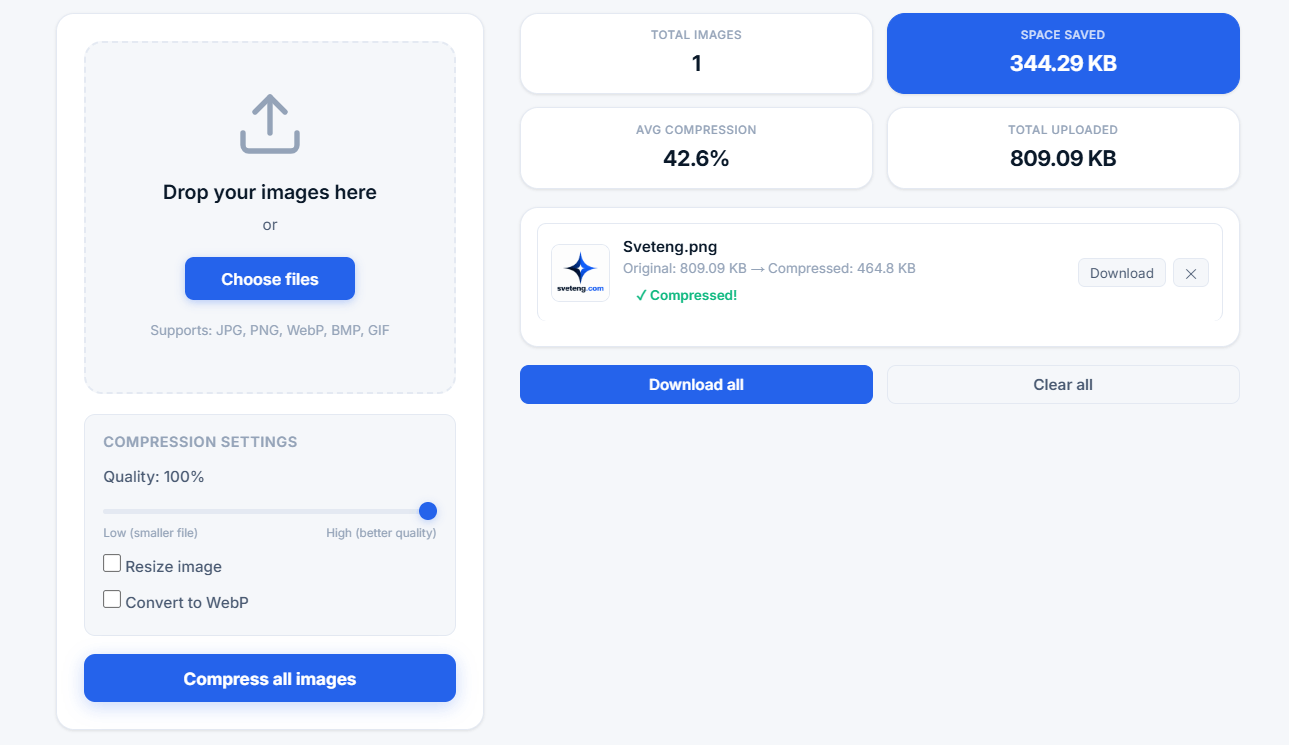
An image compressor is a tool that reduces the file size of digital images while maintaining acceptable visual quality. This is essential for web optimization, faster website loading times, saving storage space, and improving overall user experience.
Our free online image compressor uses advanced compression algorithms to reduce image file sizes without noticeable quality loss. All processing happens locally in your browser — your images are never uploaded to any server, ensuring complete privacy and security.
💡 Why compress images? Large images slow down websites, consume bandwidth, and take up storage space. Compressing images can reduce file sizes by 50-80% while maintaining excellent visual quality, making your website faster and more efficient.
How Our Image Compressor Works
This tool uses modern compression techniques to optimize each image individually:
- Smart compression — Analyzes each image and applies optimal compression settings
- Quality control — Adjustable quality slider (10% to 100%) lets you control the balance between file size and quality
- Resize option — Scale images to specific dimensions for web use
- WebP conversion — Convert to modern WebP format for superior compression
- Batch processing — Compress multiple images at once to save time
- Privacy-first — All processing happens locally in your browser
Supported Image Formats
- JPG / JPEG — Best for photographs, complex images, and web use
- PNG — Best for graphics, logos, and images with transparency
- WebP — Modern format with 25-34% better compression than JPG
- BMP — Uncompressed format, ideal for conversion to WebP or JPG
- GIF — Animated or simple graphics with limited colors
Who Benefits from an Image Compressor?
This tool is perfect for a wide range of users:
- Web developers — Optimizing images for faster, more efficient websites
- Graphic designers — Preparing images for portfolios and client projects
- E-commerce store owners — Reducing product image sizes for faster load times
- Bloggers and content creators — Optimizing images for articles and social media
- Social media managers — Preparing images for posts and campaigns
- Email marketers — Reducing image sizes for email newsletters
- Students and educators — Learning about image optimization and web performance
- Anyone — Needing to reduce image file sizes for any purpose
Why Website Speed Matters
Image compression directly impacts website performance, which affects:
- SEO rankings — Google uses page speed as a ranking factor
- User experience — Faster pages lead to lower bounce rates
- Conversion rates — Faster sites convert better (Amazon reported 1% slowdown costs $1.6B in sales)
- Bandwidth costs — Smaller images reduce hosting and CDN costs
- Mobile performance — Compressed images load faster on mobile networks
Why Use Our Image Compressor?
- 100% free and unlimited — No sign-up, no hidden fees, no limits
- Privacy-first design — All processing happens in your browser, no uploads
- High-quality compression — Advanced algorithms maintain visual quality
- Batch processing — Compress multiple images at once efficiently
- Format conversion — Convert to WebP for best compression
- Optional resize — Scale images to exact dimensions
- No installation — Works entirely in your web browser
- Cross-platform — Works on Windows, Mac, Linux, Chromebook, and mobile devices
Tips for Best Image Compression Results
- Use 85% quality — Provides the best balance between quality and file size
- Resize for web — Don't use images larger than needed (e.g., 1920px wide for full-screen)
- Convert to WebP — WebP offers superior compression for modern browsers
- Batch process — Compress all images at once for maximum efficiency
- Keep originals — Always keep your original images as backup
- Test quality — Start with 85% and adjust based on your needs
Understanding Compression Quality Settings
- 90-100% — Near-lossless quality, minimal file reduction (best for archival)
- 80-89% — Excellent quality with good file reduction (recommended for most use)
- 70-79% — Good quality with significant file reduction (good for thumbnails)
- 50-69% — Noticeable quality reduction, high file savings (for testing)
- 10-49% — High compression, significant quality loss (not recommended)
Image Compression vs. Image Resizing
These two terms are often confused but serve different purposes:
- Image compression — Reduces the file size by optimizing how image data is encoded, without changing dimensions
- Image resizing — Changes the dimensions (width and height) of the image, which also reduces file size
- Best practice — Resize to the exact dimensions needed, then compress for optimal file size
Common Image Compression Questions
What is the best image format for the web?
For most web use, WebP offers the best compression. If you need broad compatibility, use JPEG for photos and PNG for graphics with transparency. Our tool lets you convert to WebP with one click.
Can I compress animated GIFs?
Yes, our tool supports GIF compression. However, compressing animated GIFs may affect animation quality. We recommend converting to WebP for animated content if possible.
Will compression affect image metadata?
Our compression tool focuses on the visual content. Some metadata like EXIF data may be removed during compression to achieve better file reduction.
How much can I reduce image file size?
Reduction varies by image type. Photos often compress by 50-80%, while graphics with large solid areas may compress by 80-90%. WebP conversion can further reduce file sizes by 25-34% compared to JPEG.
Do you store my images?
No. All processing happens locally in your browser. We never store, share, or transmit your images. Once you close the page, all data is permanently deleted.
Related Tools
- Compound Interest Calculator — Calculate investment growth
- Percentage Calculator — Calculate percentages quickly
- Password Generator — Create strong, secure passwords
- Word Counter — Count words, characters, and sentences