HTML / CSS / JS Minifier
Minify your code to reduce file size, speed up your website, and boost SEO
Minification options
Minified code
Original: 0 B | Minified: 0 BMinification information
Quick examples
What is Code Minification?
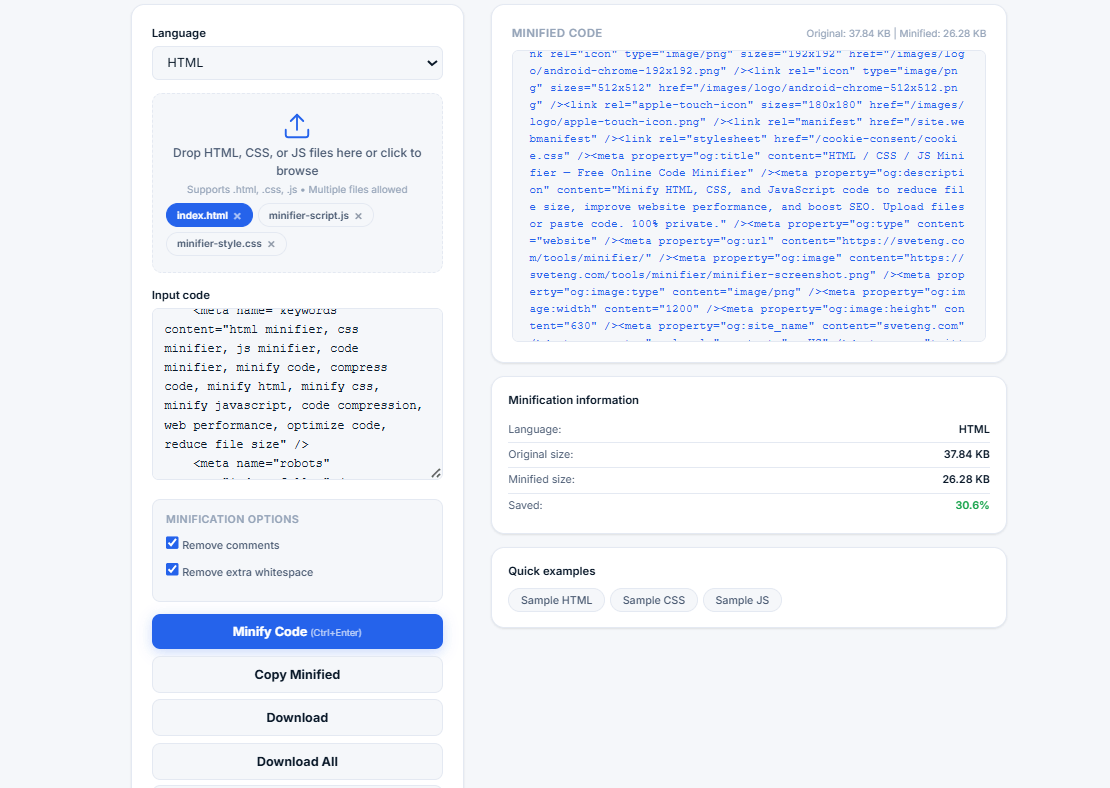
Code minification is the process of removing unnecessary characters from code without changing its functionality. This includes removing whitespace, comments, and shortening variable names. The result is a smaller file that loads faster and uses less bandwidth.
Our free online code minifier supports HTML, CSS, and JavaScript. Simply paste your code, select the language, and click minify. All processing happens locally in your browser — your code is never sent to any server, ensuring complete privacy.
💡 Why minify your code? Minification can reduce file size by 30-60%, leading to faster page load times, better user experience, improved SEO rankings, and lower bandwidth costs. It's a best practice for web development.
How Minification Works
The minification process varies by language:
- HTML — Removes comments, extra whitespace, and unnecessary attributes. Preserves essential structure and content.
- CSS — Removes comments and whitespace. Combines selectors when possible. Optimizes CSS for production.
- JavaScript — Removes comments and whitespace. Optionally minifies variable names to single letters. Creates production-ready code.
Benefits of Code Minification
Minification Example
Here's what minification does to a simple CSS file:
Supported Languages
HTML Minification
HTML minification removes comments, extra whitespace, and unnecessary attributes. It preserves all essential structure and content while reducing file size. This is especially useful for email templates and static sites.
CSS Minification
CSS minification removes comments and whitespace, and combines selectors when possible. It creates optimized CSS that loads faster and is ready for production deployment.
JavaScript Minification
JavaScript minification removes comments and whitespace, and can optionally minify variable names to single letters. This creates production-ready code that's significantly smaller than the original.
Who Uses a Code Minifier?
- Web developers — Optimize code for production websites
- Front-end developers — Minify CSS and JavaScript for faster loading
- Full-stack developers — Prepare code for deployment
- SEO specialists — Improve page speed for better rankings
- DevOps engineers — Optimize assets for CDN delivery
- Students and learners — Understand code optimization
- Anyone — Who wants faster, more efficient websites
Why Use Our Code Minifier?
- 100% free and unlimited — No sign-up, no hidden fees, no limits
- Privacy-first — All processing in your browser, no uploads
- Three languages — HTML, CSS, and JavaScript support
- Multiple options — Remove comments, whitespace, minify variables
- File upload — Upload .html, .css, .js files directly
- Batch processing — Minify multiple files at once
- Copy and download — Easy to use and integrate
- Size comparison — See how much you saved
- Keyboard shortcuts — Ctrl+Enter to minify
- No ads — Clean, distraction-free experience
Frequently Asked Questions
What is the difference between minification and beautification?
Minification reduces file size by removing unnecessary characters. Beautification (or formatting) does the opposite — it adds whitespace and indentation to make code more readable. Both are useful for different purposes.
Is minified code harder to debug?
Yes, minified code is harder to read and debug. That's why we recommend keeping an unminified version for development and using minified code only in production.
Can I minify code on mobile?
Yes. Our tool is fully responsive and works on smartphones, tablets, and desktops. You can paste code or upload files from any device.
What file types can I upload?
You can upload .html, .htm, .css, and .js files. The tool automatically detects the language and applies the appropriate minification rules.
How does minification help with SEO?
Minification reduces file size, which leads to faster page load times. Google uses page speed as a ranking factor, so faster loading pages can rank higher in search results.
Can I minify code for free?
Yes. Our minifier is completely free and unlimited. No sign-up, no registration, no hidden fees. Use it as many times as you want.
Best Practices for Code Minification
- Keep a backup — Always keep your original, unminified code
- Test after minification — Make sure your code still works as expected
- Use in production only — Keep unminified code for development
- Combine with compression — Use GZIP compression for even better results
- Automate the process — Use build tools to minify code automatically
Related Tools
- Image Compressor — Reduce image file sizes for web
- Compound Interest Calculator — Calculate investment growth
- Percentage Calculator — Calculate percentages quickly
- Password Generator — Create strong, secure passwords