QR Code Generator
Create QR codes for any data in seconds — free and private
QR settings
QR code information
Quick examples
What is a QR Code Generator?
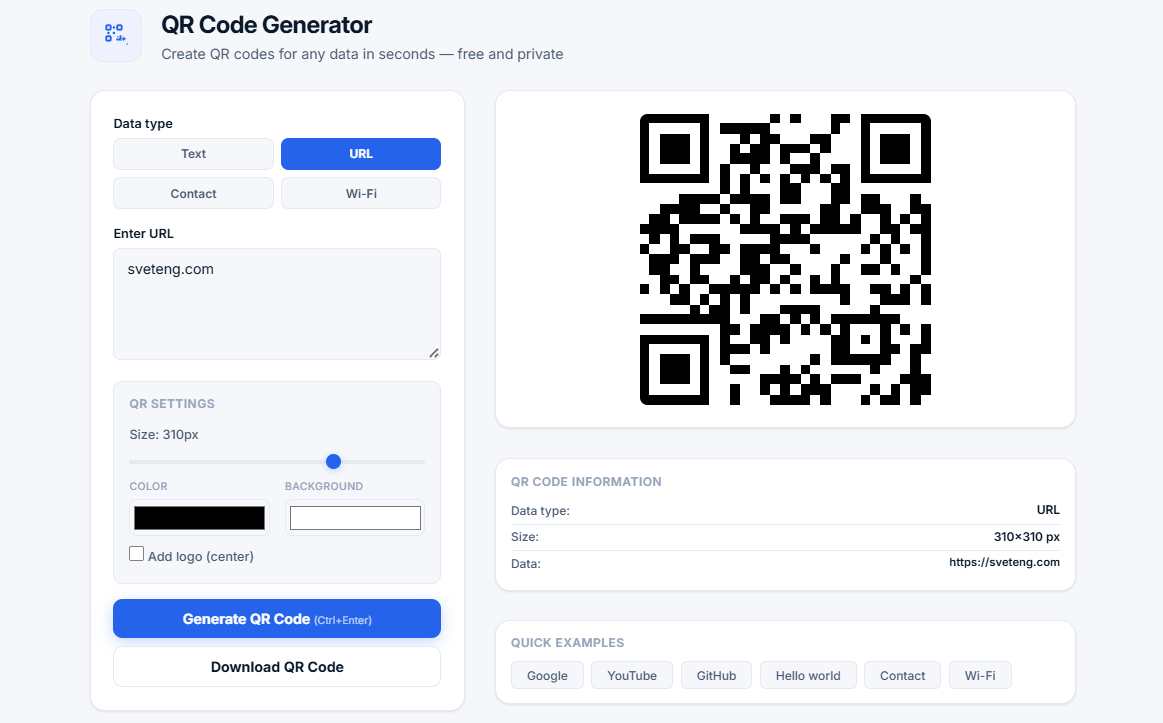
A QR code generator is a tool that creates QR (Quick Response) codes from various types of data. QR codes are two-dimensional barcodes that can be scanned by smartphones and QR readers to quickly access information.
Our free online QR code generator supports text, URLs, contact information (vCard), and Wi-Fi networks. You can customize colors, size, add a logo, and download your QR code as a PNG image. All processing happens locally in your browser — your data is never sent to any server, ensuring complete privacy.
📱 Why use QR codes? QR codes bridge the physical and digital worlds. They let you share URLs, contact info, and Wi-Fi credentials with a simple scan. No typing, no errors — just point your camera and go.
QR Code Types and Their Uses
| Type | Format | Best Used For |
|---|---|---|
| Text | Plain text | Messages, notes, instructions |
| URL | Website link | Marketing, social media, landing pages |
| Contact | vCard format | Business cards, networking events |
| Wi-Fi | WIFI:S:SSID;T:WPA;P:password; | Guest networks, coffee shops, offices |
Who Uses QR Codes?
- Businesses — For marketing, product information, and contactless menus
- Marketers — For campaigns, landing pages, and promotions
- Event organizers — For tickets, schedules, and check-ins
- Educators — For sharing resources and assignments
- Restaurants — For digital menus and ordering
- Real estate agents — For property information
- Healthcare providers — For patient information and check-ins
- Anyone — Sharing information quickly and easily
Common Use Cases
How QR Codes Work
QR codes store data in a grid of black and white squares. The pattern encodes information that can be read by QR scanners and smartphone cameras. When scanned, the code is decoded and the data is displayed or processed.
- Error correction — QR codes can be read even if partially damaged (up to 30% damage)
- High capacity — Can store up to 4,296 alphanumeric characters
- Fast scanning — QR codes can be read in milliseconds
- Versatile — Works with any data type
Why Use Our QR Code Generator?
- 100% free and unlimited — No sign-up, no hidden fees, no limits
- Multiple data types — Text, URL, contact (vCard), Wi-Fi
- Customizable — Size (100-400px), colors, and optional logo
- Privacy-first — All processing in your browser, no uploads
- Download ready — Save as PNG image instantly
- Quick examples — One-click examples for common use cases
- Keyboard shortcuts — Ctrl+Enter to generate
- No ads — Clean, distraction-free experience
Frequently Asked Questions
What is a vCard QR code?
A vCard QR code encodes contact information in the vCard format. When scanned, users can save the contact directly to their phone's address book. This is perfect for business cards and networking events.
What is a Wi-Fi QR code?
A Wi-Fi QR code encodes network credentials (SSID, password, encryption type). When scanned, users can connect to the network automatically without typing the password. Perfect for guests and visitors.
How do I scan a QR code?
Most modern smartphones have built-in QR scanning in the camera app. Simply open your camera, point it at the QR code, and a notification will appear. Tap it to open the link or save the data.
Can I add a logo to my QR code?
Yes. Our QR code generator includes an option to add a logo in the center of the code. This helps with branding and recognition. Note that adding a logo may affect scan reliability, so test before final use.
Are QR codes safe to scan?
QR codes are generally safe to scan. However, exercise caution when scanning codes from unknown sources, as they can lead to malicious websites. Always verify the source of the QR code before scanning.
Can I use this QR code generator on mobile?
Yes. Our QR code generator is fully responsive and works on smartphones, tablets, and desktops. Create QR codes anywhere, anytime.
What is the maximum data I can encode in a QR code?
QR codes can store up to 4,296 alphanumeric characters or 7,089 numeric characters. For most use cases (URLs, contacts, Wi-Fi), this is more than enough.
Tips for Creating Effective QR Codes
- Test before printing — Always test your QR code before printing
- Keep it simple — Short URLs are easier to scan
- Use high contrast — Dark colors on light backgrounds scan best
- Leave white space — Allow at least 1-2 modules of white space around the code
- Use the right size — Larger codes are easier to scan at a distance
- Include a call-to-action — Tell users what to expect when they scan
Related Tools
- Image Compressor — Reduce QR code image file size
- Password Generator — Create strong Wi-Fi passwords
- Compound Interest Calculator — Calculate investment growth
- Percentage Calculator — Calculate percentages quickly