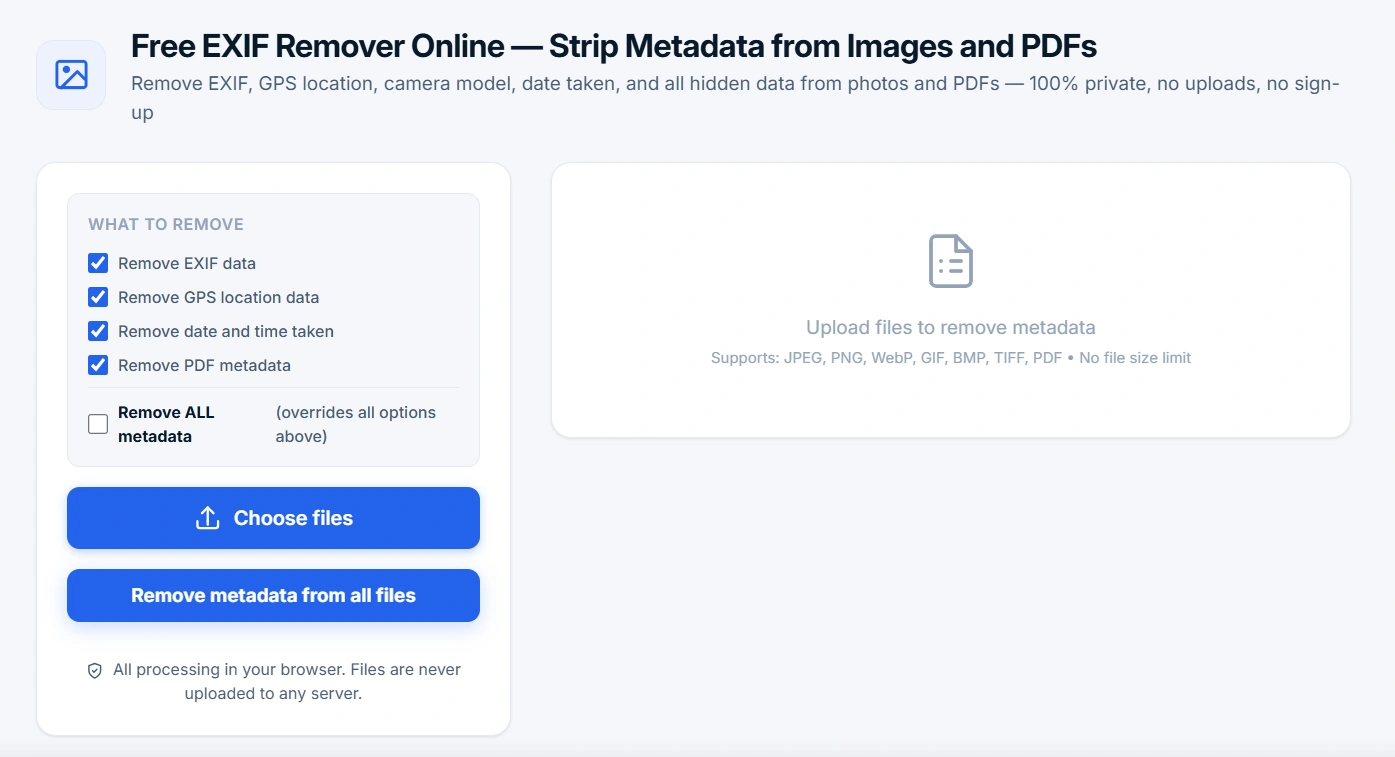
Free EXIF Remover Online — Strip Metadata from Images and PDFs
Remove EXIF, GPS location, camera model, date taken, and all hidden data from photos and PDFs — 100% private, no uploads, no sign-up
What to remove
All processing in your browser. Files are never uploaded to any server.
Upload images or PDFs to remove metadata
Supports: JPEG, PNG, WebP, GIF, BMP, TIFF, PDF • No file size or quantity limitsHow to Remove EXIF Metadata from Photos and PDFs — Complete Guide
EXIF Remover is a free online tool for removing hidden metadata from digital images and PDF documents. Every photo taken with a smartphone or digital camera automatically stores EXIF data — information about where, when, and with what device the photo was captured. This includes GPS coordinates accurate to within several meters, camera make and model, exposure settings (ISO, aperture, shutter speed), and the exact date and time.
When you share photos on social media, messaging apps, or websites, this data can be used to track your location, identify your habits, and even compromise your accounts. Our tool removes all metadata completely in your browser — files never leave your device, guaranteeing 100% privacy and security.
Why strip EXIF and GPS data? Imagine posting a vacation photo and anyone can find the exact address of your hotel, the time you took it, and even your camera model. Or sending a real estate photo to a client that contains GPS metadata with your home address. Removing EXIF protects your privacy and prevents digital tracking and profiling.
What Metadata Does EXIF Remover Clean?
Our tool completely removes the following types of metadata from images and PDF documents:
Step-by-Step Guide: How to Remove EXIF and GPS from Photos
- Upload your files — Click "Choose files" or drag and drop images/PDFs into the upload area. Batch upload is fully supported.
- Select what to remove — Check the options you want: EXIF, GPS, date, PDF metadata, or choose "Remove ALL" for complete cleansing.
- Start processing — Click "Remove metadata from all files". The process takes only seconds.
- Download cleaned files — Download individual cleaned files or use the "Download all" button to save everything at once.
Real-World Use Cases for EXIF and Metadata Removal
- Real estate listings — Remove GPS coordinates from property photos to avoid revealing the exact address.
- Social media sharing — Instagram, Facebook, and Twitter often preserve EXIF. Strip it before uploading for complete privacy.
- Email attachments — When sending photos via email, all metadata is preserved. Clean them before sending to protect your location.
- Legal and business documents — Remove author, revision history, and hidden metadata from PDFs before sharing with third parties.
- Journalism — Protect sources by removing metadata from photos and documents before publication.
- Travel photos — Don't reveal that you're away from home by stripping date and GPS from vacation photos.
- E-commerce product images — Remove metadata that could reveal your location or photography setup to competitors.
Why EXIF Remover from sveteng.com is Better Than Competitors
- 100% free and unlimited — No limits on file size, quantity, or hidden fees. Unlike many services that limit you to 5 files or 10MB.
- Complete privacy — All processing happens in your browser. Files are never uploaded to any server. Competitors often store your files on their servers.
- No sign-up required — Use the tool immediately without creating an account or providing personal information.
- Wide format support — JPEG, PNG, WebP, GIF, BMP, TIFF, and PDF. Many free tools only support JPEG.
- Batch processing — Clean dozens of files at once. Competitors often limit you to one file at a time.
- Quality preservation — Canvas-based processing maintains image quality without aggressive compression.
- Transparent results — See exactly what metadata was removed from each file, giving you full confidence in the process.
Understanding the Privacy Risks of Metadata
To truly understand why removing EXIF data from photos is essential, let's examine what information is actually embedded in your digital files:
- GPS Coordinates — Often accurate to within 10-50 meters, revealing exactly where the photo was taken. This could expose your home, workplace, gym, or frequented locations.
- Device Information — Camera make, model, and sometimes serial numbers. This can identify you as the photographer and connect multiple photos from the same device.
- Temporal Data — Exact date and time, down to fractions of a second. This reveals your daily routines, work hours, and travel patterns.
- Camera Settings — Aperture, shutter speed, ISO, focal length. While less sensitive, this can be used for digital fingerprinting.
- Software Information — The editing application used, revealing your workflow and editing habits.
- Embedded Thumbnails — Many images contain thumbnails that reveal additional visual information, even if the main image is cropped.
Technical FAQ About EXIF and Metadata Removal
Does removing EXIF data affect image quality?
No. Our EXIF remover uses an HTML5 canvas to render the image, which strips metadata while preserving the visual content. The image remains visually identical — only the hidden metadata is removed. For JPEGs, we don't recompress the image, so there's no generational quality loss.
Can I remove metadata from PDFs while preserving the document structure?
Yes. Our PDF processor clears all metadata fields (author, title, creator, etc.) while leaving the document content, formatting, and structure completely intact. Your PDFs remain fully readable and functional with all text, images, and formatting preserved.
Does the tool work on all operating systems and browsers?
Yes. Our tool works on Windows, Mac, Linux, iOS, and Android. It's compatible with all modern browsers including Chrome, Firefox, Safari, Edge, and Opera. No plugins or software installation is required.
How long are my files stored after processing?
Files are never stored on any server. They're processed entirely in your browser's memory and are cleared when you close the page or clear your browser's cache. The "Download" button simply creates a temporary blob that's automatically cleaned up by your browser.
Can I remove metadata from RAW files (CR2, NEF, ARW, etc.)?
Our tool doesn't directly support RAW camera files because they're complex proprietary formats. However, if you export your RAW files to JPEG, PNG, or TIFF, you can use our tool to remove metadata from the exported versions.
Protect your privacy today! Use our free EXIF remover to strip metadata from photos and PDFs. No sign-up, no limits, no uploads to servers. Your data stays on your device — always.
Related Tools for Digital Privacy
- Image Compressor — Reduce image file size without losing quality
- Image cropping — cropping images to the perfect size
- QR Code Generator — Create secure QR codes for private data sharing
- Password Generator — Create strong, unique passwords for all your accounts
- Compound interest calculator — Find out your investment growth calculation.