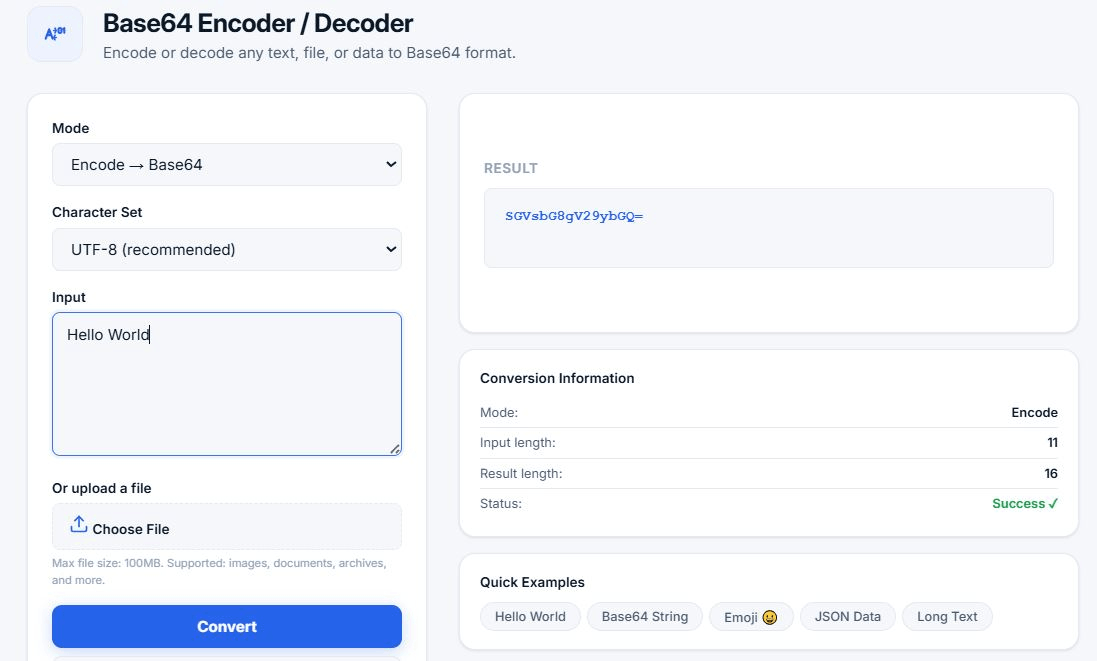
Base64 Encoder / Decoder
Encode or decode any text, file, or data to Base64 format — free and private
Result
Conversion Information
Quick Examples
What is Base64 Encoding?
Base64 is a binary-to-text encoding scheme that represents binary data in an ASCII string format using 64 characters: A-Z, a-z, 0-9, +, and /. It's widely used when there's a need to encode binary data that needs to be stored and transferred over media designed to deal with textual data.
Base64 encoding ensures that data remains intact without modification during transport. It's commonly used in various applications, including email via MIME, storing complex data in XML or JSON, and embedding images directly in HTML and CSS.
🔑 Key fact: Base64 is encoding, NOT encryption. It does not provide security — it only converts data to a different format. Anyone can decode Base64 data back to its original form. For security, use encryption algorithms like AES.
How Base64 Works: Technical Explanation
Base64 encoding works by converting 3 bytes of binary data (24 bits) into 4 characters from a 64-character alphabet (6 bits each). The process follows these steps:
- Convert to binary: Each character or byte is converted to its 8-bit binary representation.
- Group into 24-bit chunks: Three 8-bit bytes (24 bits) are grouped together.
- Split into 6-bit groups: The 24-bit chunk is divided into four 6-bit groups.
- Map to Base64 characters: Each 6-bit value (0-63) is mapped to a character from the Base64 alphabet.
Example: The word "Man" encoded in Base64 becomes "TWFu".
Let's break this down:
- M = ASCII 77 = binary
01001101 - a = ASCII 97 = binary
01100001 - n = ASCII 110 = binary
01101110 - Combined:
01001101 01100001 01101110 - Split into 6-bit groups:
010011(19 → T),010110(22 → W),000101(5 → F),101110(46 → u) - Result: TWFu
Base64 Alphabet
The standard Base64 alphabet (RFC 4648) consists of:
A-Z(26 characters, values 0-25)a-z(26 characters, values 26-51)0-9(10 characters, values 52-61)+(value 62) and/(value 63)=is used for padding to ensure the output length is a multiple of 4
Common Use Cases for Base64
Base64 vs Other Encoding Formats
| Format | Efficiency | Use Case | Character Set |
|---|---|---|---|
| Base64 | 33% overhead | Text transmission, email, JWT | A-Z a-z 0-9 + / |
| Base64URL | 33% overhead | URLs, JWTs, filenames | A-Z a-z 0-9 - _ |
| Hex | 100% overhead | Debugging, simple data | 0-9 A-F |
| Binary | 0% overhead | Storage, system-level | 0, 1 |
Base64 in Programming Languages
Here's how to encode and decode Base64 in different programming languages:
JavaScript (Node.js)
// Encode
const encoded = Buffer.from('Hello World').toString('base64');
console.log(encoded); // SGVsbG8gV29ybGQ=

// Decode
const decoded = Buffer.from('SGVsbG8gV29ybGQ=', 'base64').toString('utf8');
console.log(decoded); // Hello World
Python
import base64

# Encode
encoded = base64.b64encode(b'Hello World').decode('utf-8')
print(encoded)  # SGVsbG8gV29ybGQ=

# Decode
decoded = base64.b64decode(encoded).decode('utf-8')
print(decoded)  # Hello World
PHP
// Encode
$encoded = base64_encode('Hello World');
echo $encoded; // SGVsbG8gV29ybGQ=

// Decode
$decoded = base64_decode($encoded);
echo $decoded; // Hello World
Java
import java.util.Base64;

// Encode
String encoded = Base64.getEncoder().encodeToString("Hello World".getBytes());
System.out.println(encoded); // SGVsbG8gV29ybGQ=

// Decode
byte[] decoded = Base64.getDecoder().decode(encoded);
System.out.println(new String(decoded)); // Hello World
Frequently Asked Questions
Is Base64 secure or encrypted?
No. Base64 is encoding, not encryption. It does not provide any security — it only converts data to a different format. Anyone can decode Base64 data back to its original form. For security, use encryption algorithms like AES, not Base64.
Can Base64 encode files and images?
Yes. Base64 can encode any binary data, including images, PDFs, audio files, and videos. Our tool supports both text and file encoding/decoding with a maximum file size of 100MB.
What's the difference between Base64 and Base64URL?
Base64URL is a variant of Base64 that's safe for URLs and filenames. It replaces + with - and / with _, and removes padding =. This variant is used in JWTs (JSON Web Tokens) and other URL-safe applications.
Why use Base64?
Base64 is used because some systems (like email, URLs, or JSON) only handle text data. Base64 converts binary data to text, ensuring it remains intact during transmission. It's a reliable way to transmit data over text-based protocols.
Does Base64 increase file size?
Yes. Base64 encoding increases data size by approximately 33%. For example, a 100KB file becomes about 133KB when encoded in Base64. This overhead is the trade-off for text compatibility.
Why does Base64 use padding (=)?
The = character is used as padding to ensure that the encoded string length is a multiple of 4. It indicates that the last group of bits doesn't contain a complete set of 6-bit chunks. Some encoders omit padding when it's not needed.
What character sets are supported?
Our tool supports UTF-8 (recommended), ASCII, ISO-8859-1, ISO-8859-2, Windows-1251, and Windows-1252. Choose the appropriate character set for your data to ensure correct encoding and decoding.
Can I use this tool offline?
Yes. Once loaded, the tool works entirely in your browser. You can use it without an internet connection after the initial page load.
Is this tool free?
Yes! Our Base64 encoder and decoder is completely free to use with no limits. No sign-up, no registration, no hidden fees.
Is my data safe?
Absolutely. All processing happens in your browser. No data is ever sent to our servers. Your information remains completely private and secure.
Why Choose Our Base64 Tool?
- 100% Free & Unlimited: No sign-up, no limits, no hidden fees.
- Privacy-First: All processing in your browser. No data ever sent to servers.
- Two-Way Conversion: Encode text to Base64 and decode Base64 back to text.
- Multiple Character Sets: Support for UTF-8, ASCII, ISO-8859-1, and more.
- File Support: Encode and decode files up to 100MB.
- Copy to Clipboard: One-click copy of results.
- Download Results: Save your encoded or decoded data as a file.
- Keyboard Shortcuts: Press Ctrl+Enter to convert quickly.
- No Ads: Clean, distraction-free experience.
- Responsive Design: Works on desktop, tablet, and mobile.
Related Tools
- Hash Generator — Generate MD5, SHA-1, SHA-256, SHA-512 hashes
- Password Generator — Create strong, secure passwords
- QR Code Generator — Generate QR codes for any text or URL
- Word Counter — Count words, characters, and sentences
- Case Converter — Convert text between uppercase, lowercase, and more