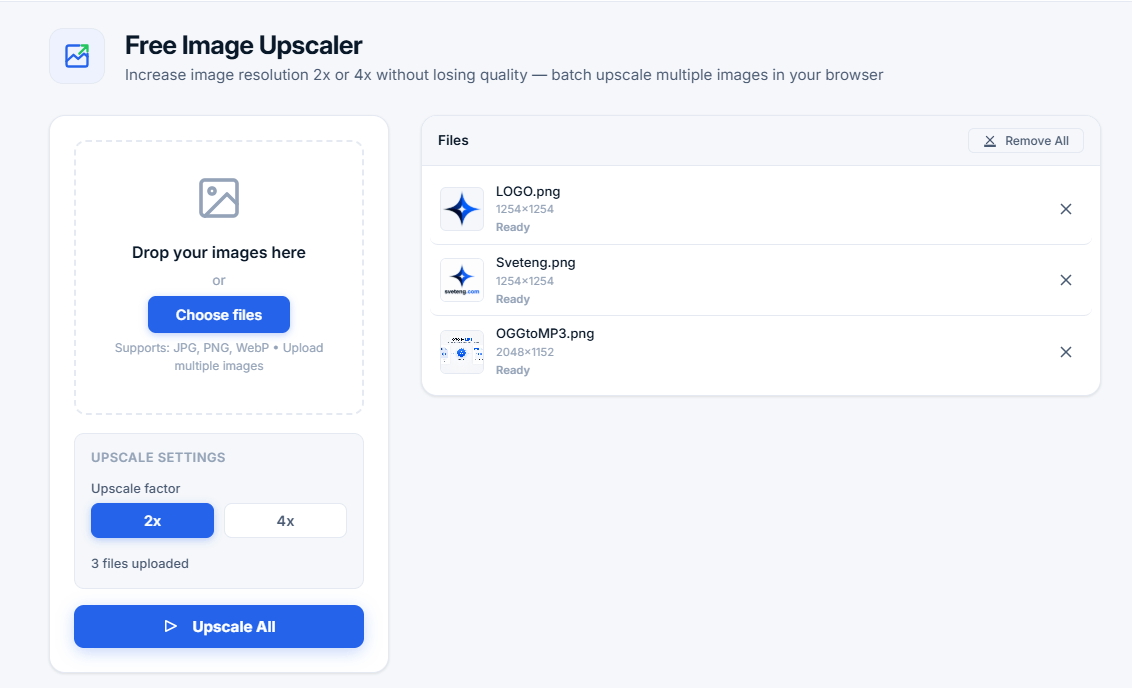
Free Image Upscaler
Increase image resolution 2x or 4x without losing quality — batch upscale multiple images in your browser
Drop your images here
or
Supports: JPG, PNG, WebP • Upload multiple images
Upscale settings
Upload images to start upscaling
Drop images here or click to browseWhat is an Image Upscaler?
An image upscaler is a powerful tool that increases the resolution and size of images while maintaining visual quality. Unlike simple image resizing that stretches pixels and creates blurry results, image upscaling uses advanced bicubic interpolation algorithms to enlarge images with minimal quality loss. Our batch image upscaler allows you to process multiple images at once, saving valuable time and effort.
Our free online image upscaler uses high-quality interpolation to enhance your photos. Whether you're working with small images, preparing pictures for printing, or need larger versions for presentations, our tool can increase resolution by 2x or 4x without significant quality degradation. All processing happens locally in your browser — your images never leave your device, ensuring complete privacy and security. This makes it ideal for sensitive content like personal photos, business documents, or proprietary designs.
💡 Why use batch image upscaling? Process multiple images at once, save time, enlarge photos for printing, improve quality for presentations, and prepare images for social media. Perfect for photographers, designers, content creators, and e-commerce businesses.
How Batch Image Upscaling Works
Our image upscaler uses high-quality bicubic interpolation algorithms to increase image resolution. Here's the step-by-step process:
- Batch processing — Upload multiple images and process them all at once with a single click
- Image analysis — The tool analyzes each original image and identifies pixel patterns and color gradients
- Pixel interpolation — New pixels are created between existing ones using mathematical algorithms (bicubic interpolation)
- Color smoothing — Colors are smoothed to create natural transitions between pixels, eliminating harsh edges
- Edge preservation — Important edges are preserved to maintain image sharpness and clarity
- Resolution enhancement — Each image is enlarged while maintaining visual quality and detail
Key Features of Our Image Upscaler
- Batch upscaling — Process multiple images simultaneously, saving time and effort
- 2x or 4x upscaling — Choose the enlargement factor that best suits your needs
- File management — Remove individual files or clear all images with one click
- Flexible download options — Download individual images or all at once
- Privacy-first design — All processing happens locally in your browser — zero uploads, zero storage
- No sign-up required — Start using the tool immediately without registration
- Fast processing — Upscale multiple images in seconds
- Multiple output formats — Download in PNG or WebP format
- Cross-platform support — Works on Windows, Mac, Linux, and all mobile devices
- 100% free and unlimited — No hidden fees, no limits on usage
When to Use Batch Image Upscaling
- Printing — Prepare multiple images for high-quality printing (posters, flyers, brochures)
- Presentations — Enlarge images for PowerPoint, Keynote, or Google Slides presentations
- Social media — Improve image quality for Instagram, Facebook, Twitter, and LinkedIn posts
- Design work — Enlarge images for graphic design projects in Photoshop, Illustrator, or Figma
- E-commerce — Improve product images for online stores (Shopify, Amazon, eBay)
- Personal use — Enhance family photos, vacation pictures, and memories
- Website optimization — Prepare high-resolution images for websites and blogs
- Print-on-demand — Enlarge designs for Printful, Printify, and other POD services
Why Choose Our Batch Image Upscaler?
- 100% free and unlimited — No sign-up, no hidden fees, no limits on usage or file sizes
- Privacy-first design — All processing in your browser, no uploads to servers — your images stay on your device
- High-quality results — Advanced bicubic interpolation produces professional-quality results
- Batch processing — Save time by processing multiple images at once
- Flexible downloads — Download individual images or all at once
- No installation — Works entirely in your web browser — no software to download or install
- Cross-platform — Works on Windows, Mac, Linux, Chromebook, iOS, and Android
- Modern UI — Clean, intuitive interface with dark mode support
Image Upscaling vs Simple Resizing
Understanding Upscaling Factors
- 2x Upscaling — Doubles the width and height of the image (4x total pixels). Perfect for most images, providing an excellent balance between size increase and quality preservation. Recommended for general use.
- 4x Upscaling — Quadruples the width and height of the image (16x total pixels). Ideal for very small images that need significant enlargement for printing or large displays. Takes longer to process but delivers maximum resolution.
Tips for Best Image Upscaling Results
- Start with the highest quality originals — The better the original image quality, the better the upscaled result
- Use 2x for most images — 2x provides excellent quality with faster processing times
- Use 4x for very small images — 4x is ideal for tiny images that need significant enlargement
- Export in PNG for best quality — PNG format preserves maximum detail and quality
- Export in WebP for web use — WebP offers good quality with smaller file sizes for websites
- Process images in batches — Save time by upscaling multiple images at once
- Check results before downloading — Review the upscaled image preview before downloading
Common Use Cases for Image Upscaling
- Printing photos — Enlarge images for posters, flyers, brochures, and photo books
- Presentations — Prepare high-quality images for business presentations
- Social media — Enhance images for Instagram, Facebook, Twitter, and LinkedIn
- Web design — Create high-resolution images for websites and landing pages
- E-commerce — Improve product images for online stores
- Digital art — Enlarge artwork and illustrations for portfolios
- Personal use — Enhance family photos and memories
- Print-on-demand — Prepare designs for T-shirts, mugs, and other products
Privacy and Security: Why Local Processing Matters
Privacy is a top concern when using online image tools. Many services upload your images to servers for processing, creating potential security risks. Our image upscaler is different:
- 100% local processing — All image processing happens in your browser using JavaScript
- No server uploads — Your images never leave your device or pass through external servers
- No storage — We never store, share, or transmit your images or data
- No tracking — We don't track your usage or collect personal data
- Complete privacy — Once you close the page, all data is permanently deleted from memory
This makes our free image upscaler ideal for processing sensitive content like personal photos, business documents, or proprietary designs.
Common Questions About Image Upscaling
Does image upscaling really work?
Yes. Modern upscaling algorithms can produce impressive results, especially for photos and realistic images. While some quality loss is inevitable when enlarging images, our tool minimizes this through advanced bicubic interpolation. The result is significantly better than simple pixel stretching.
Can I upscale images for free?
Absolutely! Our image upscaler is completely free to use with no sign-up required. There are no limits on usage, file sizes, or number of images. Use it as many times as you need, as often as you want.
What is the difference between 2x and 4x upscaling?
2x upscaling doubles the width and height of the image (4x total pixels). 4x upscaling quadruples the width and height (16x total pixels). 4x gives more resolution but may show more quality loss if the original image is very small and takes longer to process.
Can I upscale images on my phone?
Yes. Our tool works on all modern browsers, including mobile Safari, Chrome, and Firefox on iOS and Android devices. The interface is fully responsive and touch-friendly.
What image formats are supported?
Our image upscaler supports JPG, PNG, and WebP formats for input. The output is available in PNG and WebP formats for maximum flexibility.
Is my image data stored or shared?
No. All processing happens locally in your browser. Your images are never uploaded to any server, ensuring complete privacy and security.
How long does upscaling take?
Processing time depends on the size of the image. Most images process in seconds. For very large images (over 2000px), it may take a few seconds longer. The progress bar shows real-time status.
Related Tools
- Image Compressor — Compress images without losing quality
- OGG to MP3 Converter — Convert OGG audio files to MP3 format
- Voice to Text Converter — Convert speech to text in real-time
- Compound Interest Calculator — Calculate investment growth
- Percentage Calculator — Calculate percentages quickly