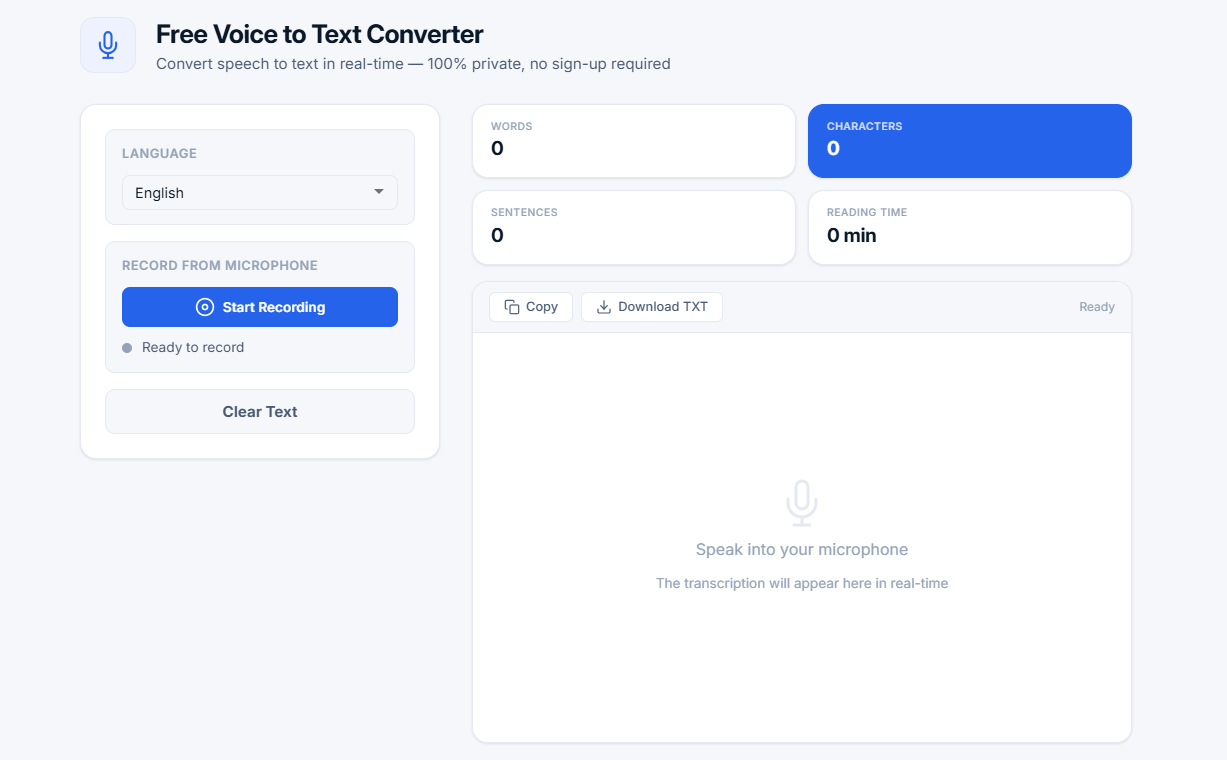
Free Voice to Text Converter
Convert speech to text in real-time — 100% private, no sign-up required
Language
Record from Microphone
Speak into your microphone
The transcription will appear here in real-timeWhat is a Voice to Text Converter?
A voice to text converter is a powerful tool that transforms spoken language into written text using speech recognition technology. Also known as speech-to-text, voice recognition, or voice typing, this tool makes it easy to transcribe meetings, lectures, interviews, podcasts, and any other spoken content into editable text format. Whether you're a content creator, student, journalist, or professional, a voice to text converter can dramatically improve your productivity and workflow.
Our free online voice to text converter uses the Web Speech API, which is built into modern browsers like Google Chrome, Microsoft Edge, and Apple Safari. It listens to your voice through the microphone and converts the speech to text in real-time. Your audio data never leaves your device, ensuring complete privacy and security. This makes it the perfect speech recognition software for sensitive content like confidential meetings, personal notes, or proprietary research.
💡 Why use voice to text? Voice to text saves time, improves productivity, and makes content creation easier. Most people speak 3-5 times faster than they type (150-200 words per minute vs 40-60 words per minute). Whether you're dictating a draft, taking notes, or creating captions, speech-to-text technology streamlines the process and helps you work more efficiently.
Speech recognition not working?
⚠️ Your browser may not support speech recognition
If the "Start Recording" button is inactive or you see an error message — you are likely using a browser that does not support the Web Speech API.
💡 Solution: For the best experience with our voice to text converter, we recommend using Google Chrome (version 70+). This browser fully supports all speech recognition features and provides the highest transcription quality.
How Does Speech to Text Technology Work?
Understanding how voice recognition software works can help you get better results. Here's a breakdown of the speech-to-text process:
- Audio Capture — Your microphone captures your voice and converts it into digital audio signals
- Signal Processing — The audio is cleaned and processed to remove background noise and enhance speech clarity
- Feature Extraction — The system extracts acoustic features that help identify different sounds and phonemes
- Language Model Analysis — The system uses statistical language models to predict the most likely words and phrases
- Real-time Transcription — The recognized speech is displayed as text instantly as you speak
- Automatic Punctuation — Our tool intelligently adds commas, periods, question marks, and capitalization
Our Voice to Text Converter: Key Features
Our speech to text online tool offers a comprehensive set of features designed for accuracy, convenience, and privacy:
- Real-time transcription — Speech is converted to text instantly as you speak, with no lag or delay
- Automatic punctuation — Commas, periods, question marks, and capitalization are added automatically
- Multi-language support — English and Russian languages supported with more coming soon
- Copy to clipboard — Copy your transcribed text with one click
- Download as TXT — Save your transcriptions as text files for later use
- Word and character count — Track your writing progress with real-time statistics
- Reading time estimate — Know how long it takes to read your text
- Privacy-first design — All processing happens locally in your browser — zero uploads
- No sign-up required — Start using the tool immediately without registration
- Works on all devices — Desktop, laptop, tablet, and smartphone compatible
Voice to Text vs Traditional Typing: A Comparison
Supported Languages and Accents
Our speech recognition tool supports multiple languages and accents:
- English — British English pronunciation and spelling (en-GB) — works with various accents including American, Australian, and Indian
- Russian — Full Russian language support with proper punctuation and capitalization (ru-RU)
The Web Speech API is trained on diverse speech patterns and accents, making it suitable for users from different regions. For best results, select your preferred language before starting the transcription.
Who Benefits from a Voice to Text Converter?
This voice dictation tool is perfect for a wide range of users across different industries and professions:
- Content creators — Dictate content for blogs, videos, and social media posts quickly and efficiently
- Students — Transcribe lectures and take study notes without missing important information
- Journalists — Dictate articles and interview notes on the go, saving time and effort
- Professionals — Dictate emails, memos, and documents hands-free while multitasking
- Writers — Dictate first drafts and overcome writer's block with natural speech
- Researchers — Transcribe interviews, focus groups, and field notes accurately
- Podcasters — Create transcripts of episodes for show notes and accessibility
- Video editors — Generate captions and subtitles for video content
- People with disabilities — Voice input helps individuals with limited mobility or typing difficulties
- Anyone — Needing to convert speech to text for any purpose, from note-taking to full document creation
Automatic Punctuation: How It Works
Our speech to text converter intelligently adds punctuation to make your transcribed text clean and professional. Unlike basic voice recognition software, our tool goes beyond simple transcription to deliver properly formatted text:
- Periods (.) — Added at the end of complete sentences based on natural pauses and speech patterns
- Commas (,) — Added for natural pauses, lists, and before conjunctions like "but" and "however"
- Question marks (?) — Added at the end of questions detected by question words and intonation
- Capitalization — First letter of each sentence is automatically capitalized for proper grammar
- Smart detection — The system analyzes speech patterns to determine where punctuation belongs
This automatic punctuation feature saves you time and ensures your transcriptions are ready for immediate use in documents, emails, and publications.
Privacy and Security: Why Local Processing Matters
Privacy is a top concern when using online speech recognition tools. Many services upload your audio to servers for processing, creating potential security risks. Our voice to text converter is different:
- 100% local processing — All speech recognition happens in your browser using the Web Speech API
- No server uploads — Your voice data never leaves your device or passes through external servers
- No storage — We never store, share, or transmit your audio or transcribed text
- No tracking — We don't track your usage or collect personal data
- Complete privacy — Once you close the page, all data is permanently deleted from memory
This makes our free voice recognition tool ideal for transcribing sensitive content like confidential business meetings, personal journals, medical notes, or proprietary research.
Tips for Best Speech Recognition Results
To get the most accurate transcriptions from our speech to text online tool, follow these tips:
- Speak clearly — Enunciate your words naturally without mumbling or rushing
- Reduce background noise — Find a quiet environment for best accuracy, away from fans, traffic, or conversations
- Use a good microphone — A quality USB microphone significantly improves recognition accuracy compared to built-in laptop mics
- Pause between sentences — Brief pauses help the system detect sentence boundaries and add appropriate punctuation
- Speak at a moderate pace — Not too fast, not too slow — natural conversation speed works best
- Select the right language — Choose your language before starting for best results
- Review and edit — Always review the transcription and make small corrections if needed
- Use a pop filter — For best audio quality, use a pop filter to reduce plosive sounds (p, b, t)
- Position your microphone correctly — Place it about 6-12 inches from your mouth, slightly to the side to avoid breath noise
Common Use Cases for Voice to Text
Our voice dictation software can be used in countless scenarios across personal and professional life:
- Dictation — Write documents, emails, and messages hands-free while driving, walking, or multitasking
- Lecture notes — Record and transcribe lectures for better study materials and revision
- Meeting minutes — Capture meeting discussions and decisions accurately without taking manual notes
- Content creation — Dictate blog posts, articles, and social media content faster than typing
- Accessibility — Help individuals with disabilities communicate and write more easily
- Quick notes — Capture ideas and thoughts instantly without opening a text editor
- Interviews — Transcribe interviews in real-time for later analysis and quoting
- Podcast transcripts — Create searchable transcripts for your podcast episodes to improve SEO
- Video captions — Generate captions and subtitles for videos quickly and easily
- Business reports — Dictate reports and documentation while traveling or away from your desk
Common Questions About Voice to Text Conversion
Is voice to text conversion accurate?
Modern speech recognition technology can achieve 95%+ accuracy when speaking clearly in a quiet environment. Accuracy depends on factors like accent, background noise, and microphone quality. Our tool uses Google's Web Speech API, one of the most accurate speech recognition engines available. For best results, speak clearly and reduce background noise.
Can I use this voice recognition tool offline?
This speech recognition software requires an internet connection to load the page and the speech recognition API. However, once loaded, the speech recognition itself uses your browser's built-in capabilities. For offline use, we recommend downloading the transcribed text for access later.
Is there a time limit for recordings?
There is no strict time limit with our free voice to text converter. You can record for as long as you need. The tool will continuously transcribe your speech in real-time. For very long recordings, the tool automatically reconnects if needed.
Can I edit the transcribed text?
While the text is not directly editable in the tool, you can easily copy it to your clipboard and paste it into any text editor (like Notepad, Word, or Google Docs) for corrections and formatting. You can also download the transcription as a TXT file and edit it in your preferred text editor.
Does this tool work with different accents?
Yes. The Web Speech API is trained on diverse speech patterns and accents. For best results, select the appropriate language (English or Russian) before starting the transcription. The system handles various accents within each language.
Is this voice to text converter really free?
Yes! Our speech to text online free tool is completely free to use with no sign-up required. There are no limits on recording duration or number of transcriptions. Use it as many times as you need, with no hidden fees or restrictions. This is our commitment to providing free online tools for everyone.
How does this compare to paid voice recognition software?
Our free voice recognition tool offers comparable accuracy to many paid solutions, with the added benefit of complete privacy (local processing) and no subscription fees. While advanced features like speaker identification or industry-specific vocabularies may require paid software, our tool covers the vast majority of everyday use cases exceptionally well.
Related Tools
- Image Compressor — Compress images without losing quality
- OGG to MP3 Converter — Convert OGG audio files to MP3 format
- Compound Interest Calculator — Calculate investment growth
- Percentage Calculator — Calculate percentages quickly
- Password Generator — Create strong, secure passwords